
 Nombre de usuario
 Crear Cuenta

CSR Generation: Office Communications Server 2007
How to generate a CSR for Microsoft Office Communications Server 2007
-
After you have installed Office Communications Server 2007 (OCS) click Start -> Programs -> Administrative Tools -> Office Communications Server 2007
-
Expand the items in the snap-in until you get to the Enterprise Edition Server that you installed.
-
Right-click on the correct server name and select "Certificates". Click next to get past the Certificate Wizard welcome screen.

-
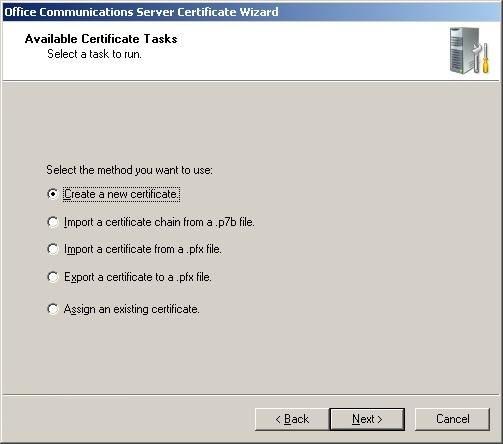
Choose to "Create a new Certificate" and click Next.
-
Choose to "Prepare the request now, but send it later" and click Next.

-
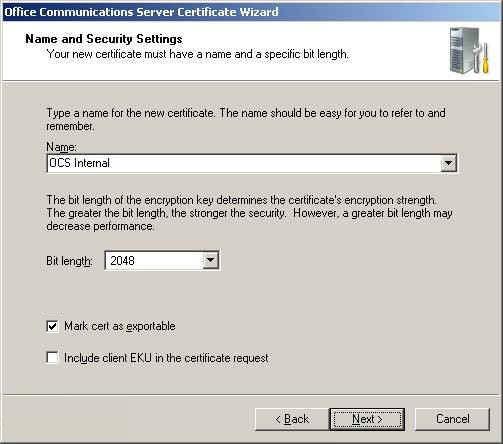
Under "Name" enter name for your certificate. This name is simply a label for the certificate, so you can name it whatever you like such as the server name or the pool FQDN.
-
In order to export the certificate to other servers, you need to make sure that "Mark cert as exportable" is checked. Then click Next.
-
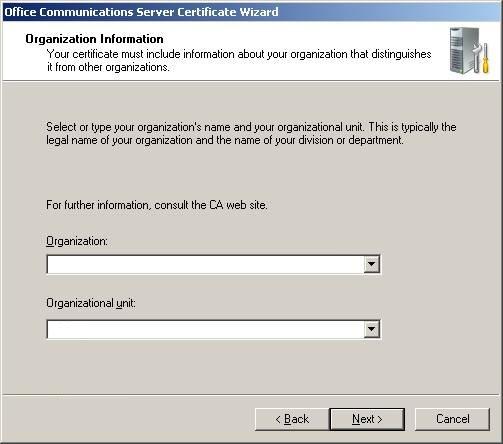
For "Organization" enter your EXACT legal company name including Inc, LLC, etc. if applicable.
-
For "Organizational Unit", enter the department such as Accounting or Engineering and click Next.
-
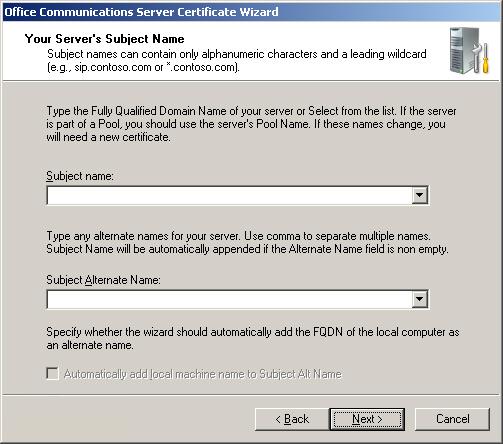
For "Subject Name" enter the exact Fully Qualified Domain Name of the pool. Select the option to "Automatically add local computer name", and click Next.
-
Enter your Country, State/Province, and City details and click Next.
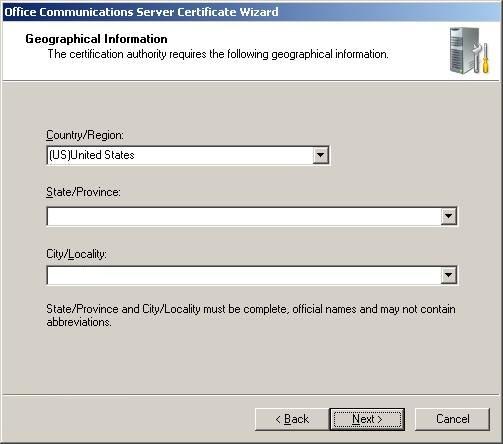
Choose a file name and location to save your new Certificate Request (CSR). The file will be a text file, so it should be given a .txt extension. Click Save.
-
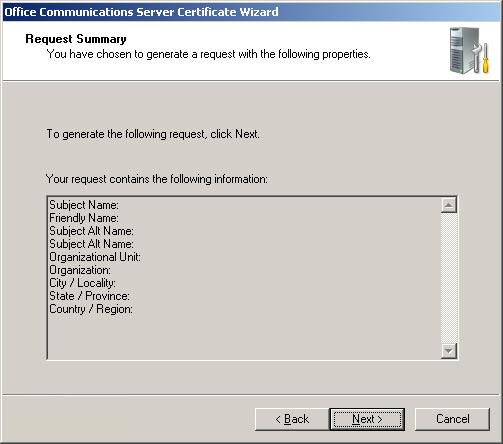
Review the settings and finish the certificate wizard. This will save the CSR file to the location you entered above. While ordering your SSL Certificate, you will be asked to copy and paste your CSR to the COMODO order form. Open your CSR file with notepad, and copy and paste the contents to the order form. Select "Microsoft Office Communications Server 2007" as the server platform.


For more information, see Microsoft's official Office Communications Server documentation, located at http://r.office.microsoft.com/r/rlidOCS?clid=1033&p1=library


